Guide
An encrypted folder on Linux, without the terminal
On Linux, encrypting a single folder usually means commands in a terminal. CryptoUpload does it from a window: the folder becomes an encrypted vault that opens as a drive with your password and locks itself again. Free and open source, as a .deb or an AppImage.
What Linux does on its own
- Encryption of the whole disk
- Ubuntu’s installer can encrypt the entire drive, with a security key you type at every boot. The variant that relies on the TPM chip is described by Ubuntu as highly experimental.
- After boot, everything is open
- Once the disk is unlocked and you have logged in, every folder opens without another password. Disk encryption protects a computer that is switched off, not a folder while you work.
- Single folders: mostly the terminal
- Encrypting just one folder is usually done with command-line tools and mount commands to remember.
Source, checked on 25 October 2026: Ubuntu: install Ubuntu Desktop
A vault with a window
- A folder on your disk
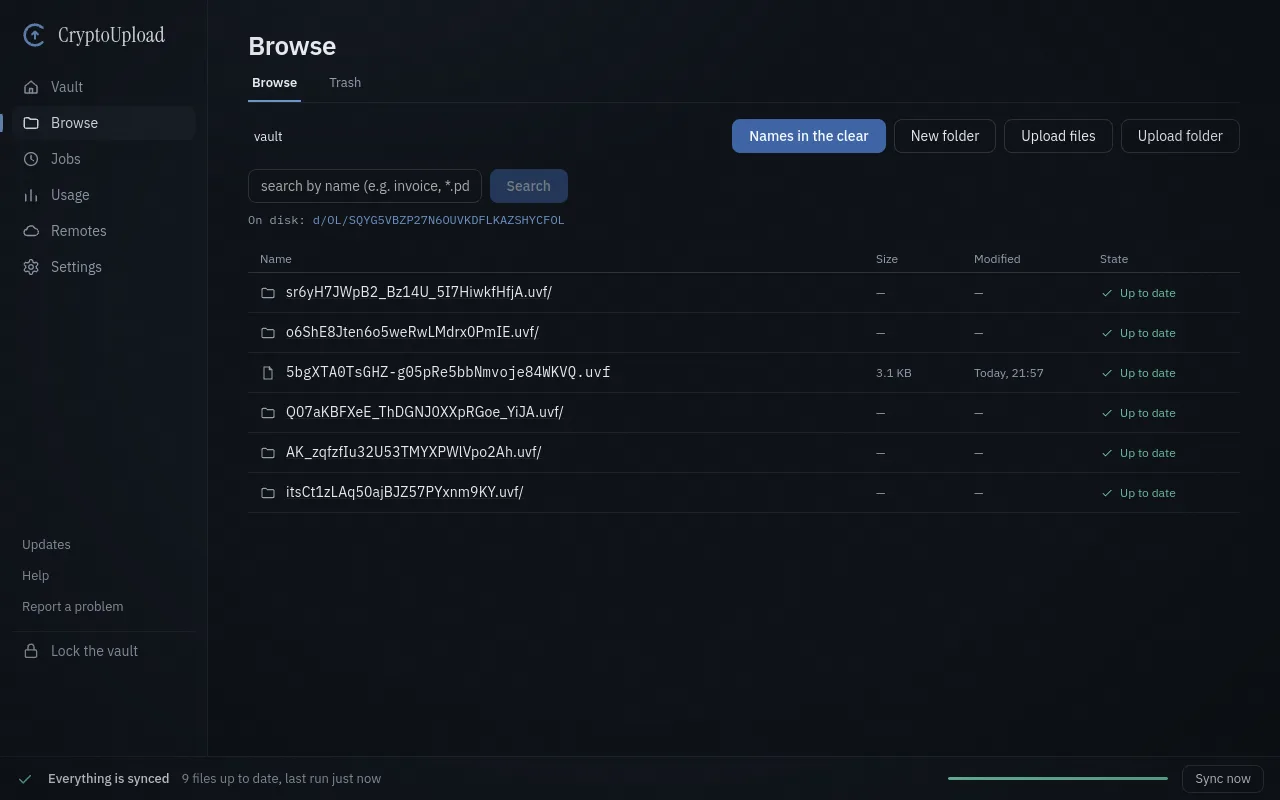
- You create the vault in a folder or on an external disk. Contents are encrypted with AES-256-GCM, file and folder names too.
- Opened as a drive
- Unlock it and it appears as a drive in your file manager, through FUSE 3. Open and save files with your usual programs.
- It locks itself
- After a period of inactivity you choose. With the extra protection on, also when the screen locks, the user changes or the computer goes to sleep, and the drive is unmounted.
- Keys out of other programs’ reach
- On Linux, CryptoUpload stops other programs running under your user from reading its keys from memory. An administrator still can.
Extra options only on Linux
- Decoy files and a read alarm
- Hidden decoy files appear in the drive. If something reads them, or one program opens a great many files in a few seconds, the vault locks and you are told which program it was.
- Programs allowed to read the drive
- A list of programs that may open the drive’s files; every other program gets “access denied”.
In practice
- Install CryptoUpload
- The .deb package is for Debian and Ubuntu; on other distributions use the AppImage.
- Check FUSE 3
- The drive needs FUSE 3. Everything else in the program works without it.
- Create the vault
- Pick the folder or disk, choose a password and write the 24 recovery words on paper.
- Move your files in
- Copy them into the open drive and check that they open. Lock the vault and open it once with your 24 words. Then delete the unprotected originals, and keep a backup copy on a disk you store somewhere safe.
The app shows the 24 words once and asks you to confirm them before you go on. You can also print a recovery kit to put away.
What it does not do
- Open means open
- While the vault is unlocked, any program running under your user can read the files through the drive. The options above make that harder, not impossible.
- Nothing runs from the drive
- Files in the drive are never executable: copy a program out of it to run it.
- No independent audit yet
- CryptoUpload is a public beta with an internal security review only. Keep another copy of anything you cannot afford to lose.
Questions
- How do I create an encrypted folder on Linux without the terminal?
- Install CryptoUpload (.deb or AppImage), create a vault in the folder you want and choose a password. The vault opens as a drive in your file manager.
- Is full-disk encryption enough?
- It protects the computer while it is off. Once you have logged in, every folder is open; a vault keeps the files you choose closed until you unlock it.
- Does it work on Linux Mint?
- Linux Mint is based on Ubuntu, so the .deb package is the one to try; the AppImage is the alternative that needs no installation.
- Can the encrypted folder live in the cloud?
- Yes. A vault can also sit on Google Drive, a NAS over SFTP or WebDAV, or an S3 bucket, and opens as a drive in the same way.
- Why can’t I start a program from the drive?
- On Linux, files in the drive are never executable. Copy the program out of the drive to run it.
More guides
Ready to try it?
Free for Windows and Linux. No account, nothing to cancel: if you change your mind, copy your files out and uninstall.
For now CryptoUpload runs on Windows and Linux. Send yourself the link and download it from your computer.
For now, Windows and Linux only. A Mac version depends on costs a one-person project cannot cover; with enough funding, it can be built.
Follow the release feed, or on GitHub choose “Watch”, then “Custom”, then “Releases”. Nothing to sign up for with us. Release feed (RSS)
-
Your system
Windows
.exe installer
-
Your system
Linux
Debian, Ubuntu and distributions based on them Download .deb 20 MB
Fedora, Arch, openSUSE and any other distribution Download AppImage 96 MB
Version 0.1.0-beta.2 · Public beta, not yet audited by an outside security firm: start with copies of your files. Published on October 24, 2026. What you can check yourself
On Windows, the first time, two messages may appear: your browser may say the file “isn’t commonly downloaded” (choose “Keep”), then Windows may say “Windows protected your PC” (choose “More info”, then “Run anyway”). Both are about the reputation of a new program that has no paid code-signing certificate yet.
The app itself is available in 10 languages, English included: it follows your system language, and you can change it in Settings.
Your download has started
Windows
- The first time, Windows asks twice. First your browser may say the file “isn’t commonly downloaded”: choose “Keep” (in Edge: the “…” menu next to the download, then “Show more” and “Keep anyway”).
- Open it. If Windows says “Windows protected your PC”, choose “More info”, then “Run anyway”.
- It installs for your user only, with no administrator rights. For the virtual drive it offers to open the WinFsp download page: installing WinFsp needs administrator rights, and it can wait.
- Start with a folder of copies, and write the 24 recovery words on paper.
Both messages are about reputation: Windows shows them for new programs that do not yet have a paid code-signing certificate. The installer is signed with the project’s own key instead. Prefer to check first? Compare its SHA-256 or its signature: How to verify the download
Linux: .deb
- Open a terminal in the folder with the downloaded file and run:
sudo apt install ./CryptoUpload_0.1.0-beta.2_amd64.deb - Then start CryptoUpload from your applications menu.
- For the virtual drive, FUSE 3 must be installed.
Linux: AppImage
- Make the file executable and run it:
chmod +x CryptoUpload_0.1.0-beta.2_amd64.AppImage && ./CryptoUpload_0.1.0-beta.2_amd64.AppImage - For the virtual drive, FUSE 3 must be installed.
Stuck at a step? Tell us where: open an issue on GitHub
Written and checked by the CryptoUpload project. ·
Product names belong to their owners. CryptoUpload is not affiliated with or endorsed by any of them.